Coordinated fake review attack on Google? How to remove the wave
A burst of 1-star reviews from new accounts in one window signals a coordinated attack. Here's Google's exact reporting and escalation path, with links.
Opens in a new tab. It is a recording of a desktop screen, so turn your phone sideways or tap full screen in the player.
The demo shows where to click for this part. The written steps for it follow below. When you have done them, continue to Part 2.
You wake up to seven 1-star reviews from new accounts with no photos and no other reviews, all within 90 minutes. Two of them complain about a service you don’t offer. A competitor opened nearby four weeks ago. That combination points to a coordinated attack.
Google has a specific process for this. It is easier to remove than a typical fake review because the patterns are visible, and it still takes patience and thorough documentation. Skipping steps will delay the process.
Owners often call this review bombing. Google looks for three signals in a coordinated attack:
Timing cluster. Multiple reviews posted within a short window (usually a few hours to a couple of days).
Account profile. New accounts, no other reviews, no photos, generic display names.
Content pattern. Similar phrasing, similar complaints, or services your business doesn’t offer.
If you’re seeing at least two of these on three or more reviews, treat it as coordinated. Single suspicious reviews are handled differently, see the fake review removal guide.
Counterintuitive, but this is the first move. You’re not writing to the reviewer. You’re writing to the next 500 people who’ll read the profile and need to know this was an attack, not a real customer experience.
For example:
“Thanks for the review. We don’t have a record of this booking, and the service you describe isn’t one we offer. We’ve also received six other reviews this week with similar inconsistencies, all from new accounts. We’ve reported these to Google for investigation.”
No emotion. No accusations of who’s behind it. Just facts a reasonable reader can verify.
2. Report each review individually
Open the Review Management Tool (workflow link). For each review:
Opens in a new tab. It is a recording of a desktop screen, so turn your phone sideways or tap full screen in the player.
The demo shows where to click for this part. Keep reading for what happens after you submit, how long Google usually takes, and what to do if it gets rejected.
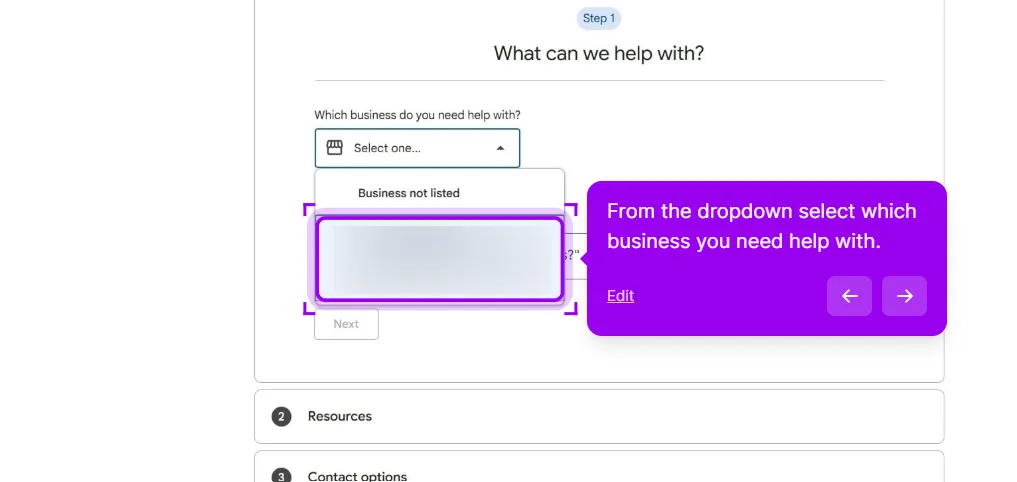
Step 3: pick the affected profile from the business dropdown before anything else.
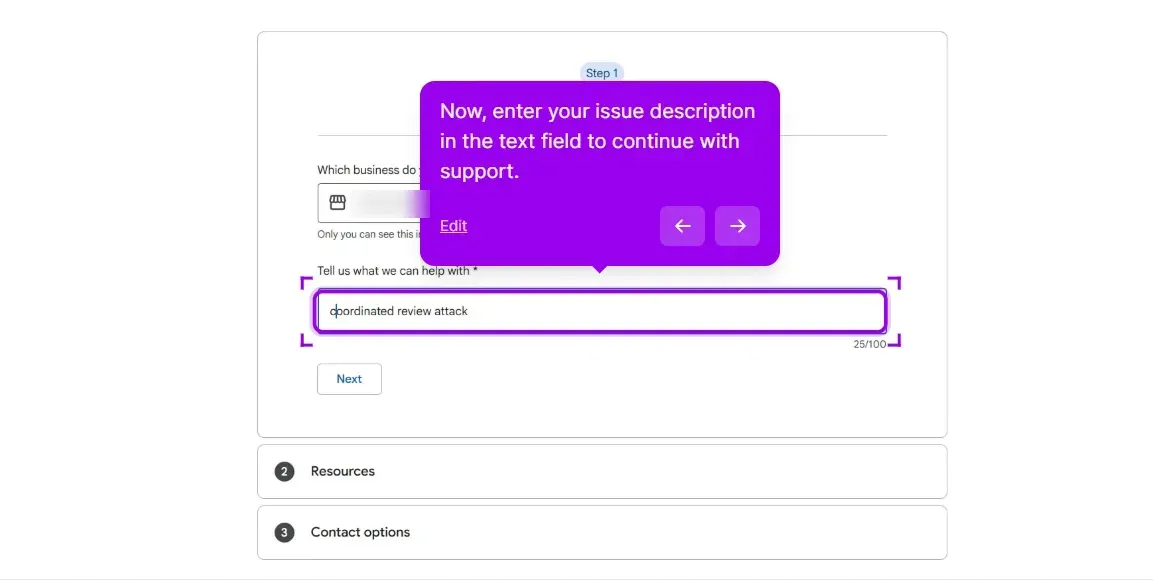
Enter “Coordinated review attack” in the issue field and fill out the form.
Step 3: the wording in this field is what routes the case, so use the phrase coordinated review attack.
Include in the message:
Your profile link
A list of every reported review with the date it was posted
The Case IDs from step 2
A short paragraph explaining the pattern (timing, account ages, similar phrasing)
Screenshots of the reviewer profiles showing no other reviews and no photos
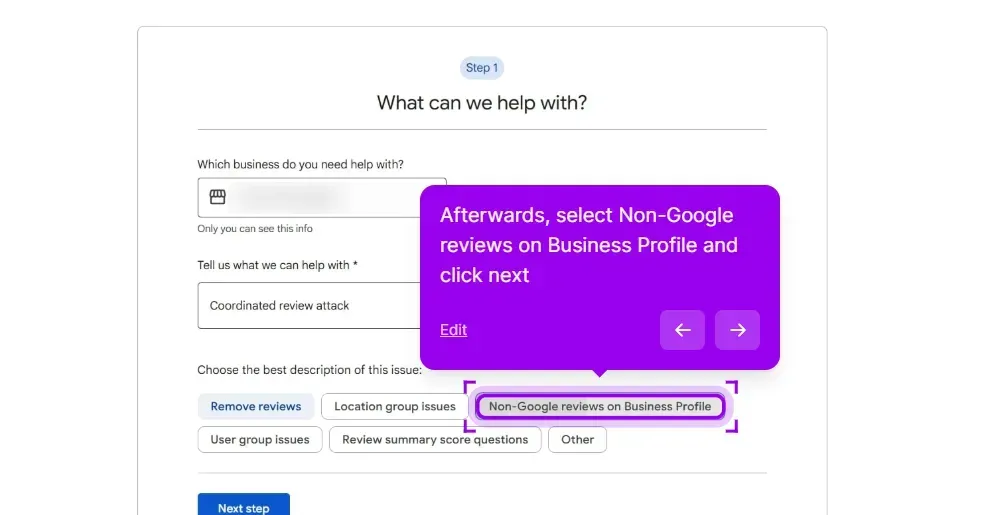
Select Non-Google reviews on Business Profile, then skip the resources section by clicking next.
Step 3: choose Non-Google reviews on Business Profile from the issue description row, then click next.
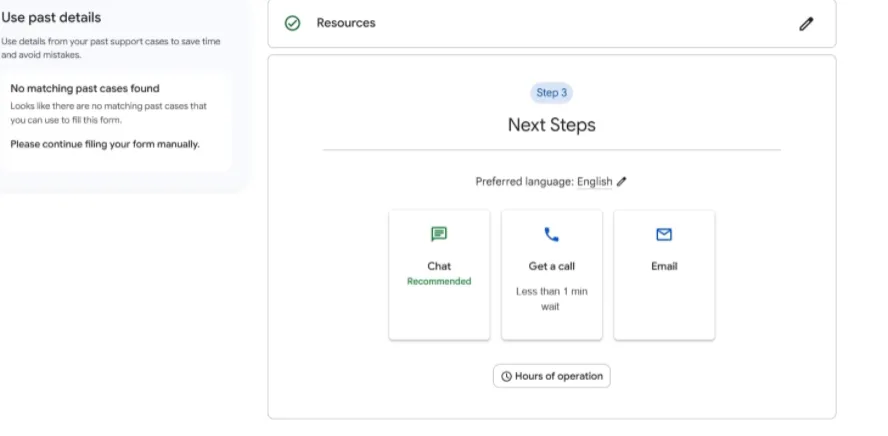
Pick whichever contact option you prefer.
Step 3: Chat, a call back and email all reach the same queue, so take whichever suits you.
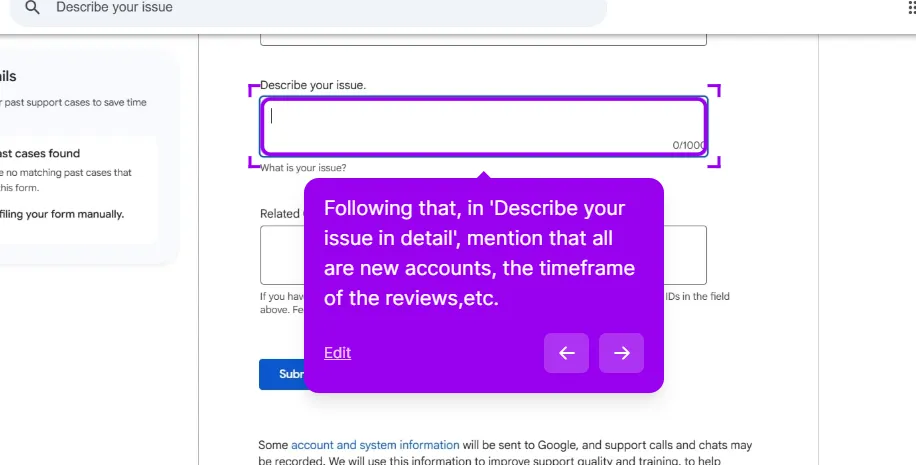
Then fill in your business details and describe the issue in detail. Use the phrase “coordinated review attack” in the message, and mention that the accounts are new and the reviews landed in one timeframe.
Step 3: the free-text box is where the pattern goes, with the case IDs from step 2 in the field below.
That phrasing frames the situation precisely: a networked attack defined by shared signals of timing, account profiles and content, rather than a string of unrelated reviews.
4. Escalate to the GBP Community
If three business days pass with no progress, post in the GBP Community with:
Your profile link
All Case IDs
A summary of what you’ve already tried
A Product Expert can flag the thread for the internal spam team. This is the path that closes most coordinated attacks. The volunteers can’t remove reviews themselves, but they can move your case to a human at Google.
Sometimes you know exactly who’s behind it, a former employee, a competitor with a known grudge, an ex-business partner. Don’t accuse them in your public reply. Document what you know separately:
Save any DMs, texts, or emails where they’ve threatened reviews
Note dates of disputes that preceded the attack
Screenshot their public social posts mentioning your business
This documentation goes in your manual investigation request message, not your public reply. Google’s spam team uses it as supporting evidence; the public reply should stay neutral.
If you have hard proof of extortion ("pay me $X and I’ll take these down"), file separately at the merchant extortion form. That route moves faster.
Filing the same report repeatedly. One round of reports, then wait. Repeated filings flag your account in a way that slows review.
Naming names in public replies. Even if you’re right, naming the competitor in your reply can get it removed for a policy violation.
Asking customers to post counter-reviews. Google’s spam filter notices the pattern. You’ll trigger your own coordinated-attack flag and lose legitimate reviews.
Going public on Twitter before the case is open. It feels good but rarely helps and sometimes gets the Product Experts to back off your case.
In our experience, most coordinated-attack reports get taken down within a couple of weeks after a manual review, though Google doesn’t share exact numbers. A stubborn few involve clever tactics that slip under Google’s radar, often using older accounts or varied phrasing.
If you find yourself in that situation, the best way to handle any reputation attack in the long run is still the same:
Maintain the public reply documentation. Every fake review with a calm, factual reply tells future readers and Google what happened.
Be patient with Google’s spam detection. It improves over time. Reviews that look legitimate today may get auto-removed in three months when new pattern detection rolls out.
The companies that survive review attacks aren’t the ones who win every removal request. They’re the ones who keep getting real reviews while the attack plays out.
This post is one piece of a bigger playbook. The full guide covers the common Google Business Profile problems in one place, with the fix for each: The GBP cheat sheet.
Hit with a coordinated attack and stuck? We run the escalation for you, and you pay only for the reviews that come down.Remove the fake reviews