
What the statuses in the Reviews Management Tool mean
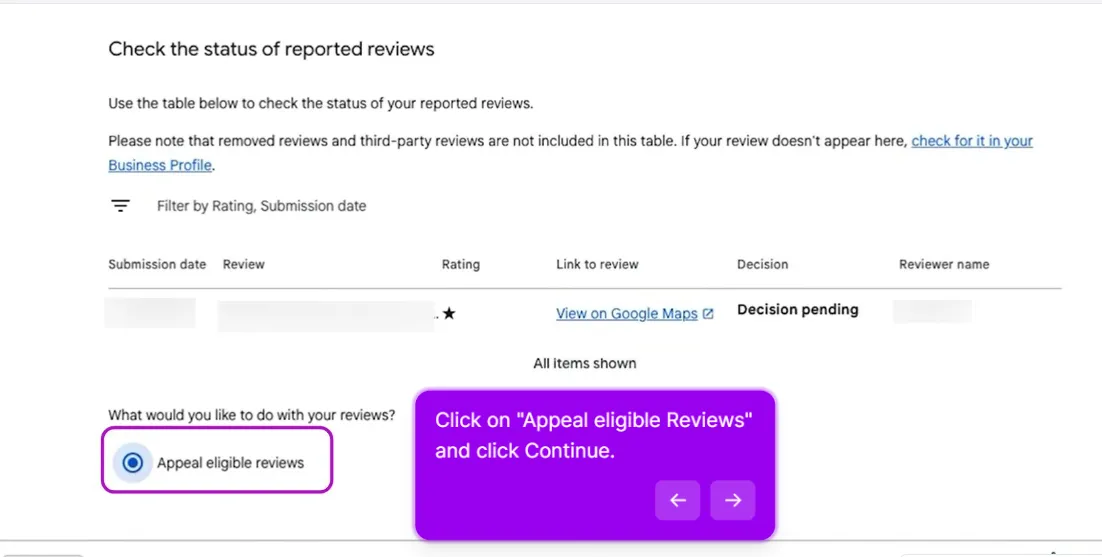
The Reviews Management Tool shows one of three statuses per reported review:
- Decision pending. Received, not yet evaluated.
- Escalated, check your email. Your appeal is under review. The outcome comes by email, not inside the tool.
- Decision made. Evaluated. If a violation was found it comes down. If not, the review becomes eligible for an appeal.
That’s the full list. “Not approved” and “Review complete” are just how people describe a decision-made outcome with no violation found.
For the full walkthrough of the Reviews Management Tool, the appeal form, and what to write, see How to remove a Google review: check the status and file your appeal.
What to do based on where you are
- Under 3 days: wait, continuous submissions slow the original case.
- Past 3 days, no appeal option yet: check back every few days.
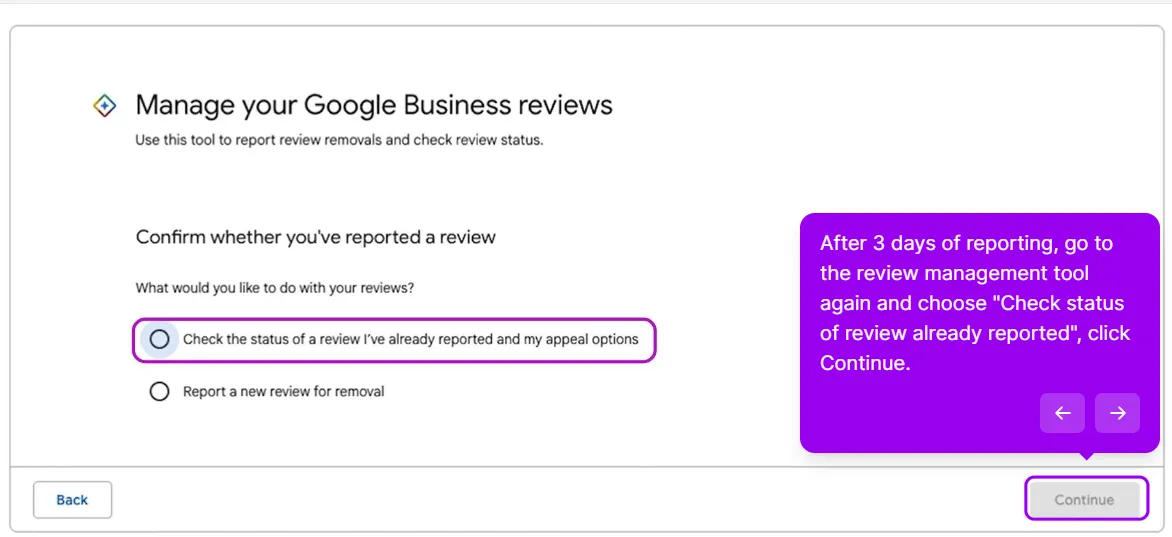
- Appeal eligible reviews appears: file the appeal now with new evidence.
- Status says “Escalated, check your email”: wait for the email, file nothing else.
- Weeks with no movement and no appeal option: go to Business Profile Support with your case ID, then the GBP Community if support doesn’t move it.
If the appeal comes back denied and the review still clearly violates policy, the next step is a manual investigation. That full path is in How to remove a Google review: request a manual investigation.
This post is one piece of a bigger playbook. The full guide covers the common Google Business Profile problems in one place, with the fix for each: The GBP cheat sheet.
Report stuck for weeks and no appeal option yet? Send us the review and we’ll run the escalation for you. Unstick my review report


