
Imagine you logged into your Business Profile and noticed a red banner: Your profile has been suspended. There is no explanation and no contact form, just an appeals button that feels fruitless.
Many suspensions can be reinstated, and precision is what makes the difference. A vague appeal often leads to a denial and more waiting, while a precise one gives you a real chance at a quick reinstatement.
Google states appeals can take up to 5 business days, and many take longer. This guide walks through the exact process.
Why profiles get suspended
Google rarely tells you the specific reason. The banner usually reads "suspended due to quality issues" or "suspended for suspicious activity", and neither wording tells you which guideline you broke. Every suspension still boils down to one of these categories:
- Name or address mismatch. Your profile says “Smith Plumbing,” your legal registration says “Smith’s Plumbing LLC.” That mismatch alone can trigger suspension.
- Category misuse. You added a category you don’t actually qualify for (e.g., listing as “Dentist” when you’re an oral hygiene clinic without a dentist on staff).
- Address policy violation. You’re a service-area business with a residential address listed publicly, or you’re using a virtual office without permanent staff and signage.
- Recent changes that triggered review. You changed your name, address, or category, Google’s system flagged the change for review and the review failed.
- Reports from competitors. Multiple competitor or user reports of policy violations triggered an automated review.
- Account-level restriction. Your Google account itself is restricted (often for unrelated reasons), which cascades to your Business Profile.
In practice, name or address mismatches and recently changed profile details are among the most common triggers we see for small businesses, with account-level restrictions behind a meaningful share of the rest. Treat this as a starting hypothesis, not a diagnosis, since Google doesn’t tell you the exact reason.
Step 1: Audit before you appeal
The single most expensive mistake is appealing before fixing the underlying issue. If your profile is still non-compliant when you submit the appeal, Google denies it, and you’ve burned your first attempt.
Read Google’s Guidelines for representing your business front to back. Then walk through your profile and check:
- Business name. Exactly matches your legal registration, with no extra keywords (“Smith Plumbing - Best in Austin” is a violation; just “Smith Plumbing” is fine).
- Address. Matches a verifiable physical location with permanent signage and staff during business hours. If you’re a home-based service business, your address must be hidden, and you must operate as a Service-Area Business.
- Categories. Every category accurately describes a service you actually offer. Make sure your primary category is correct and remove any secondary categories that don’t describe you.
- Hours. Match the hours displayed on your storefront and website.
- Phone number. Reachable during business hours.
- Website. Loads and clearly identifies the same business.
- Opening date. Make sure it’s exact everywhere.
- Account. If it is an account-level restriction and you have another manager, transfer ownership to them, wait 7 days, then correct the account information and appeal. If there are no other managers, add another account and give it access. Again, wait 7 days after they accept, then appeal.
Fix any mismatches before filing the appeal. Our GBP suspension check can help you spot the common triggers first.
If you would rather have someone else read the profile against the guidelines line by line, that is what a listing checkup covers.
Step 2: Gather the right documents
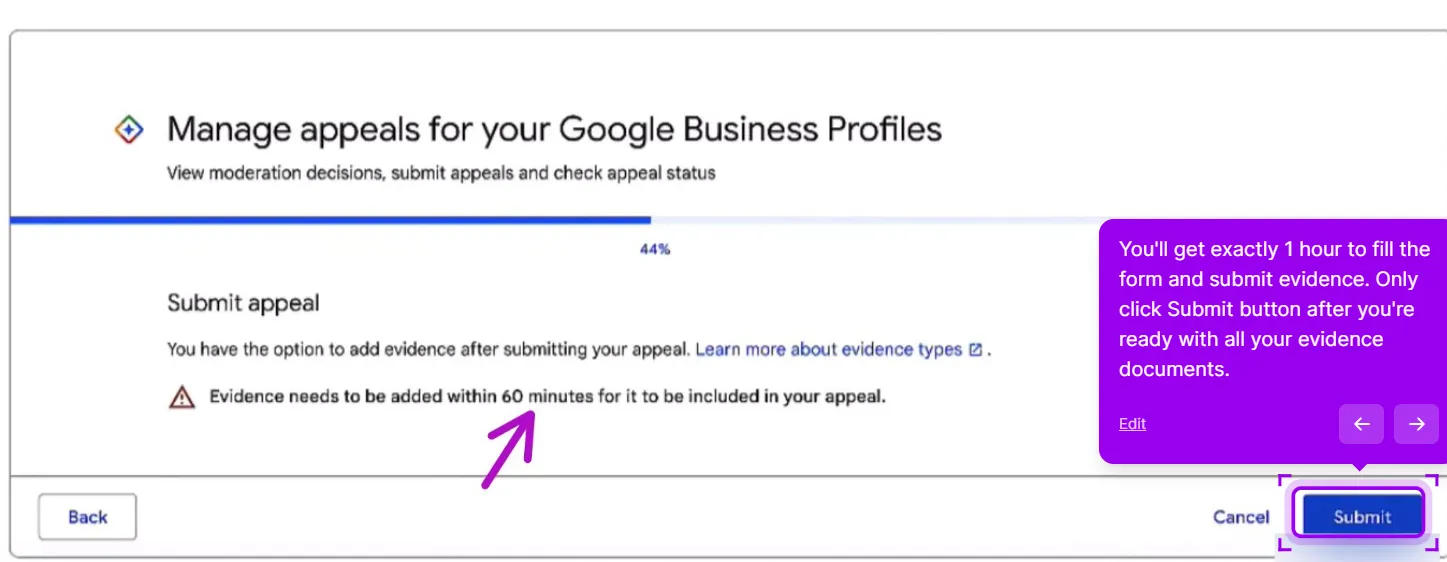
You only get 60 minutes to fill the appeal form and submit evidence, so gather all the documents beforehand. Google’s Fix Suspended Profiles guide lists the acceptable documents. The most important word in that document is exactly.
Acceptable documents include:
- Business license or registration certificate showing your business name and address
- Utility bill (electric, gas, water, internet) issued in the business name at the business address; use the most recent one you have
- Lease or property tax document for the business address
- Insurance certificate for the business
- Bank statement in the business name (you can redact transaction details)
The document must show:
- The exact business name as it appears on your profile
- The exact address as it appears on your profile
- A clearly legible date on utility bills (use the most recent bill you have so the address is easy to read)
If your business is registered as “Smith’s Plumbing LLC” and your profile says “Smith Plumbing,” either change the profile or get a document that matches. Mismatches kill appeals.
Step 3: File the appeal
Go to the Business Profile Appeals Tool. Make sure you are signed in with the Google account that manages the suspended profile, then confirm the account.
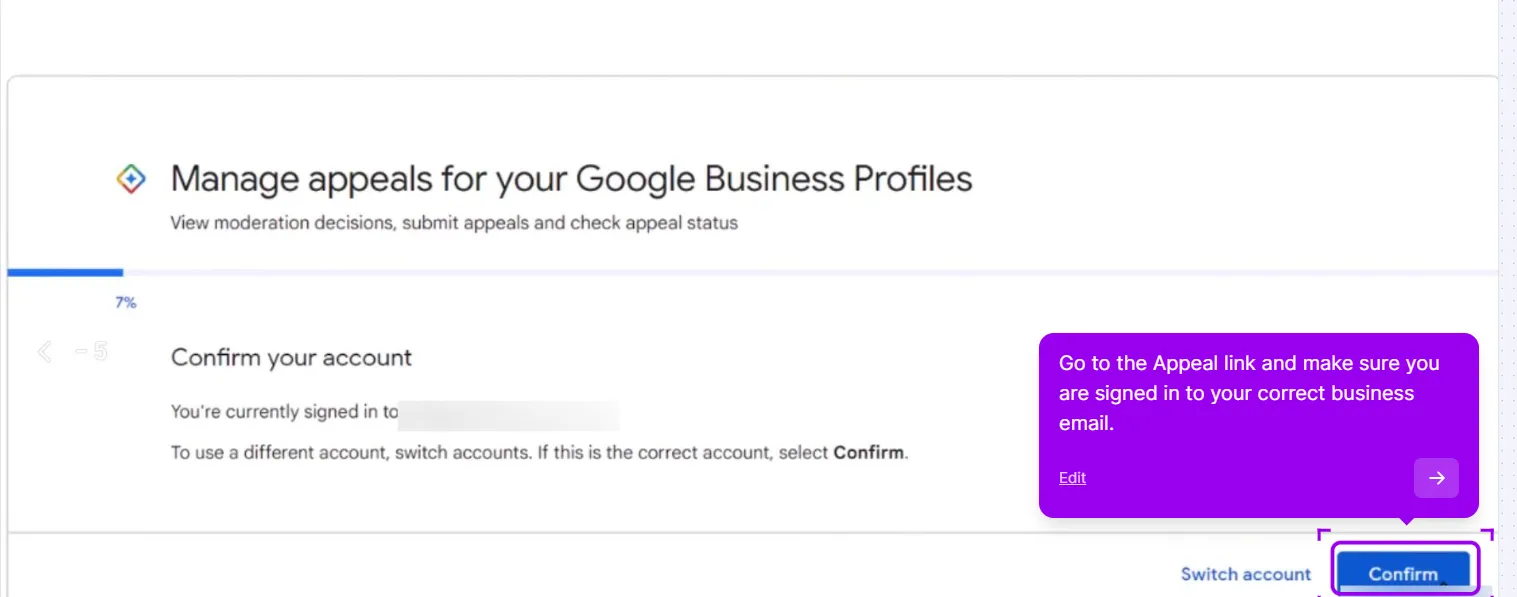
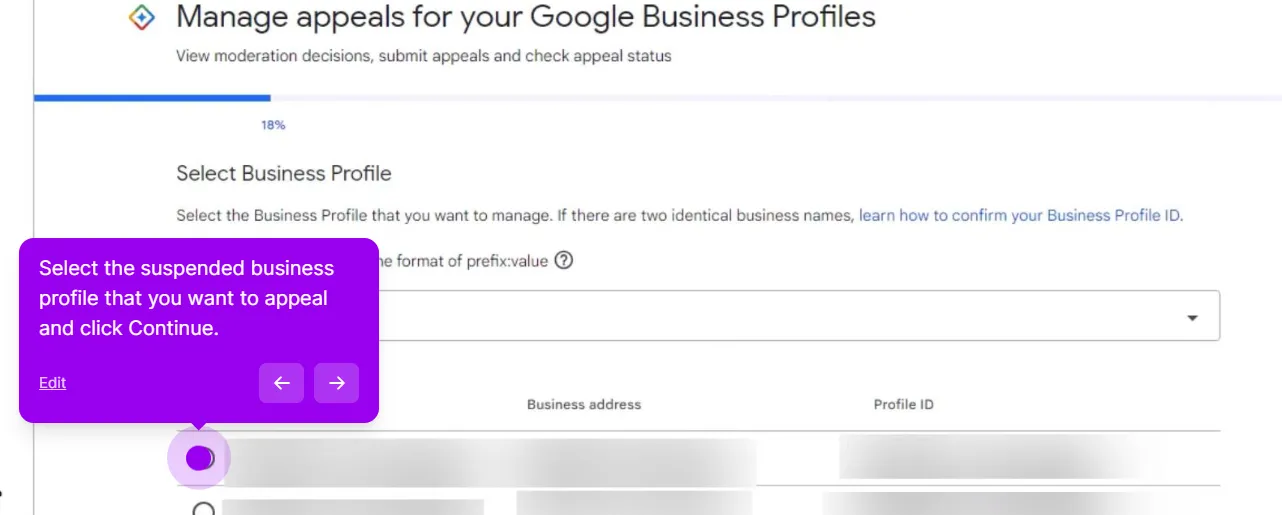
1. Select the suspended profile. The tool lists the profiles on the account with their business address and Profile ID. Pick the suspended one and click Continue.
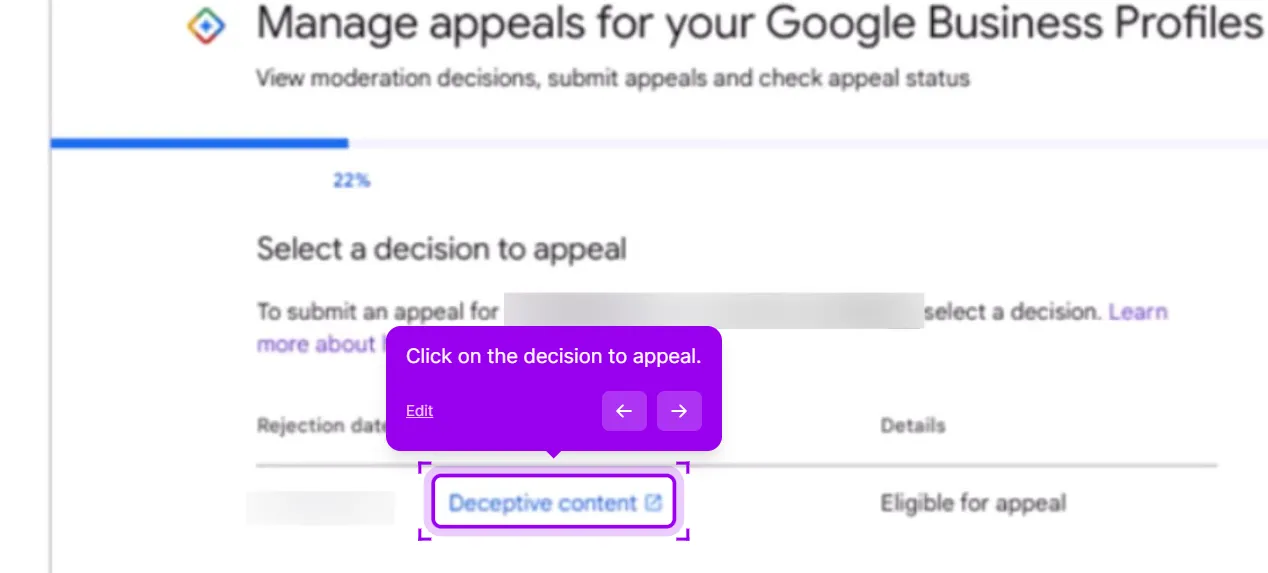
2. Select the decision to appeal. Google shows the moderation decisions on that profile with a rejection date and a status. Click the decision that reads Eligible for appeal.
3. Have your documents ready, then click Submit. PDF or a clear photo, under 5MB each. The tool warns you that evidence has to be added within 60 minutes of this submission for it to be counted, so do not click Submit until the files are on your desk.
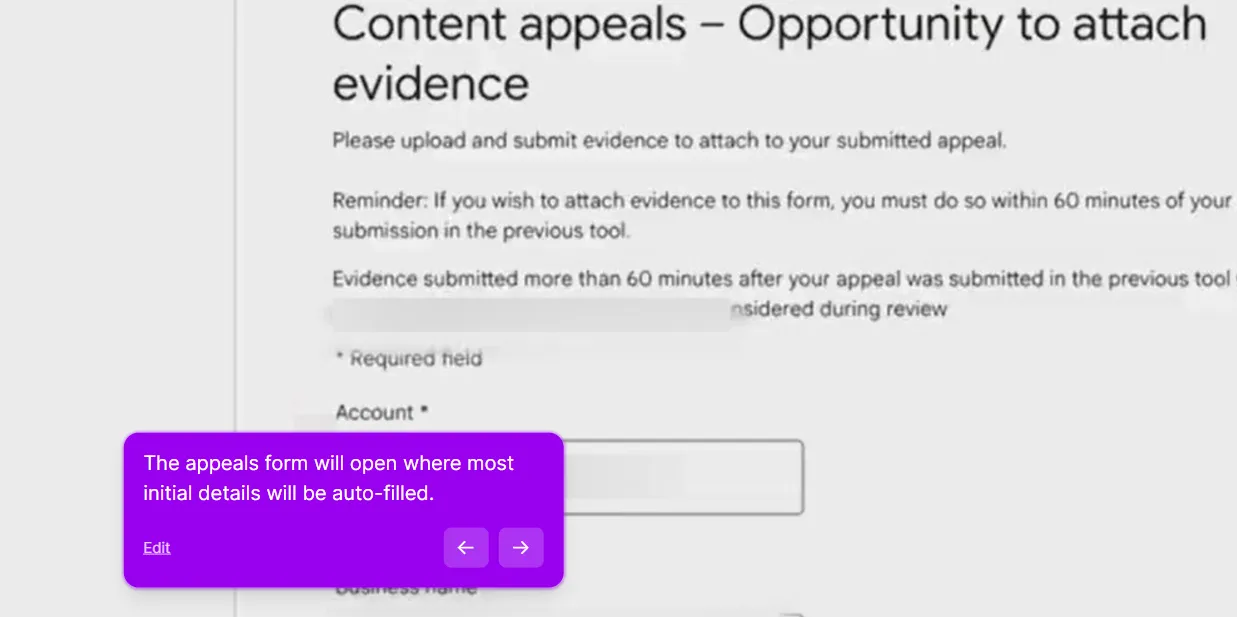
4. The content appeals form opens with the initial details auto-filled, including the account.
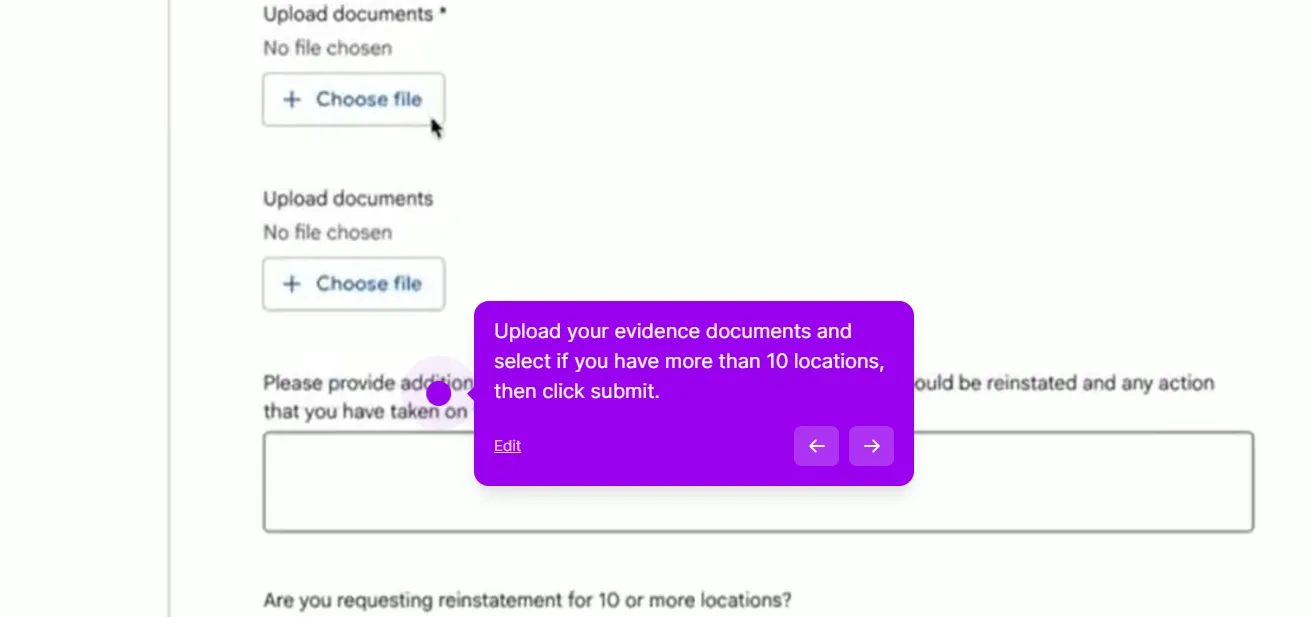
5. Upload the documents and write a short message explaining the situation and confirming compliance. The form also asks whether you are requesting reinstatement for 10 or more locations.
Sample message (illustrative template, swap in your own real details):
“[Legal business name] has operated at [exact profile address] since [year]. We have permanent signage, posted business hours, and licensed staff on site during all stated hours. Attached: business license, a recent utility bill, and our state trade license. All documents show the same name and address as the profile. Please review and reinstate.”
A clear, factual message that maps directly to the documents you attached is easier for a reviewer to act on. This form is your Business Profile reinstatement request, so treat it as the whole case rather than a note to support.
Click submit. You get a Case ID. Google says decisions can take up to 5 business days, though busy periods can push that out further.
One thing to expect after a profile comes back: some owners find their old replies to reviews are gone, which is covered in review replies missing after re-verification.
What to do if denied
Denials happen for two main reasons:
- Documents didn’t match the profile exactly. Re-check name and address character-for-character.
- The reviewer didn’t see something in the profile that’s still non-compliant. Walk through the guidelines again.
You get one more shot via the local appeals form. Submit with:
- The original Case ID
- Any new documents or fixes you’ve made since
- A short explanation of why you believe the original denial was incorrect
Don’t re-submit the same documents with the same explanation. If nothing has changed, the reviewer has no new reason to reach a different decision, so add new evidence or address the specific denial reason instead.
If the second appeal is denied too
The account-level case
If the appeals tool shows "no content to appeal," the problem isn’t your Business Profile. It’s your underlying Google account.
Go to myaccount.google.com and look for restriction notices. Resolve those first. Once the account restriction lifts, return to the Business Profile Appeals Tool and you’ll be able to submit the profile appeal normally.
Things that make this worse
- Multiple appeals from the same account in quick succession. Google advises against submitting more appeals for the same issue before you get a decision. File one appeal, then wait.
- Creating a new profile while the suspended one is under appeal. Google explicitly tells you not to create a new profile for the same business during an appeal; a duplicate can jeopardise both listings.
- Asking the GBP Community to "fix" your suspension. Volunteers can’t reinstate profiles. They can advise, sometimes escalate, but never act.
- Falsifying or backdating documents. Submitting altered evidence is a policy violation and can sink the appeal outright. Make any genuine compliance fixes before you file, then leave the profile stable while it’s under review.
When to give up and start fresh
Almost never. Even profiles that have been suspended for a long time can often be reinstated with the right documents and a calm, factual appeal. The cases that don’t recover usually involve account-level restrictions (compromised account, multiple policy violations across services) where the underlying account problem needs to be resolved first.
Starting fresh sounds appealing but loses you years of reviews and ranking signal. Stay patient with the existing profile recovery.
Problems that look like a suspension but aren’t
About a third of the “suspended” cases that reach us are not suspensions. Check these before you file an appeal, because appealing a profile that isn’t suspended wastes the one appeal you get:
- No banner, no email, the profile is simply gone. That is a disappearance, and the documents are different: profile disappeared from Maps.
- You can’t find the profile in search at all, and never could. Run the not-showing-up diagnostic; unverified and pending profiles are not published.
- A red “Permanently closed” label under your name. A user edit or a merged duplicate, not a suspension: Google says you’re permanently closed.
- You can see the profile but can’t log in. An access problem: recover access if someone else holds it, or transfer ownership if it is a normal handover.
- Your appeal is filed and nothing is happening. Appeal stuck or rejected covers the escalation paths.
This post is one piece of a bigger playbook. The full guide covers the common Google Business Profile problems in one place, with the fix for each: The GBP cheat sheet.
Profile still suspended after the first appeal? Our suspended-listing recovery service handles the appeal end to end, paid upfront and refunded in full if the profile is not back. Get my profile back
This guide is general information, not legal advice, and reinstatement is never guaranteed. Google sets and changes its own policies and timelines; always follow the steps and requirements shown in the official Business Profile Help and appeal tools, which take precedence over anything here.


