
What Google treats as fake
- Paying for reviews, in cash or in kind. A prize or freebie in return for a review breaks the rule.
- Reviews from many accounts controlled by one person.
- Unusual volumes or patterns of reviews meant to push a rating.
Collect your proof first
Use public info only:
- Screenshot the giveaway or “review for a reward” post. Show the date and where it was posted.
- Copy the business’s Google Maps link.
- Sort their reviews by Newest and note the spike: how many came in, and over which dates.
- Screenshot a few suspicious reviews. Look for reviewers with one review, copied wording, or mentions of the prize.
How to report a business buying fake Google reviews
- Open the Google Maps app and search for the business.
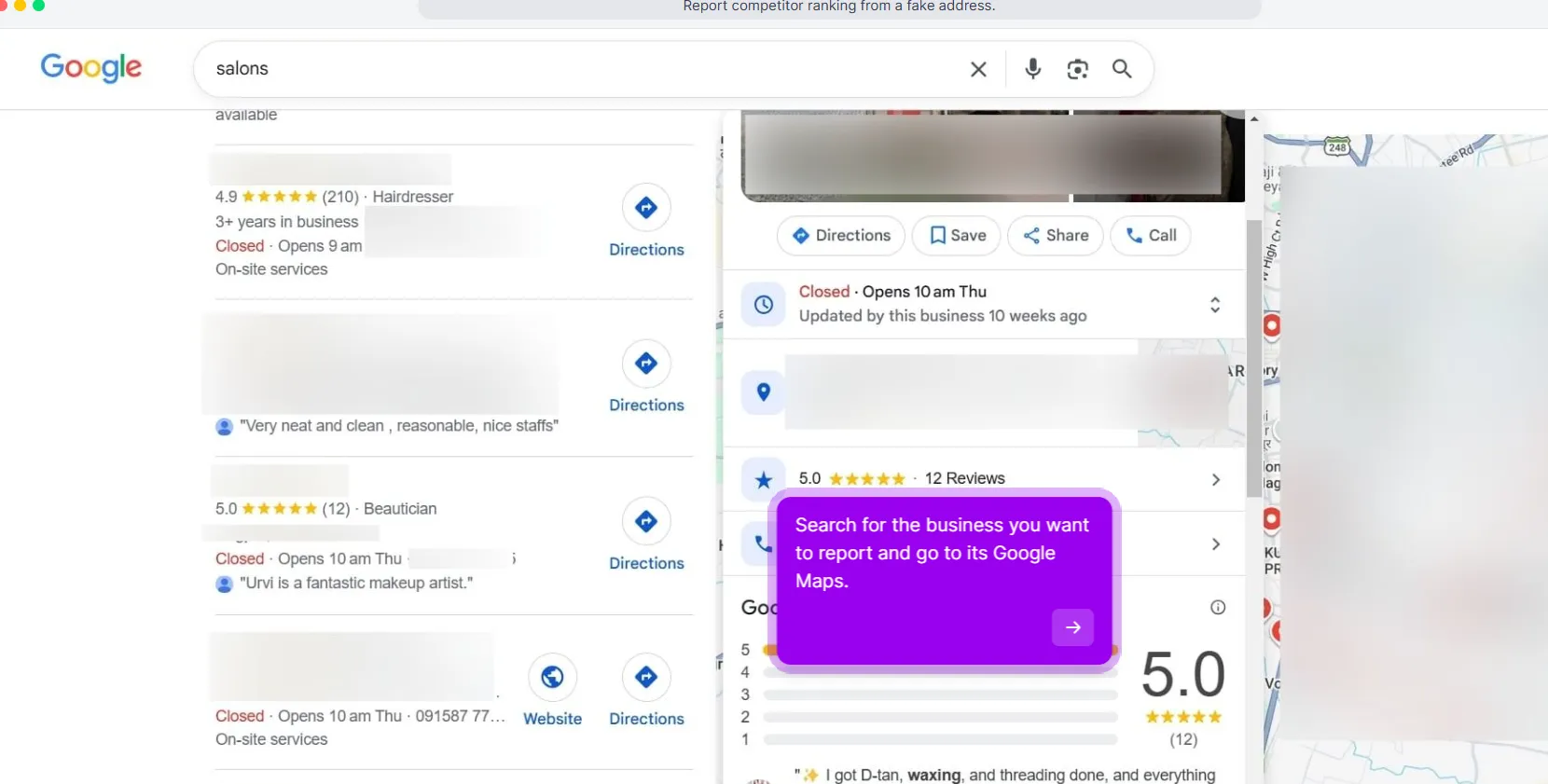
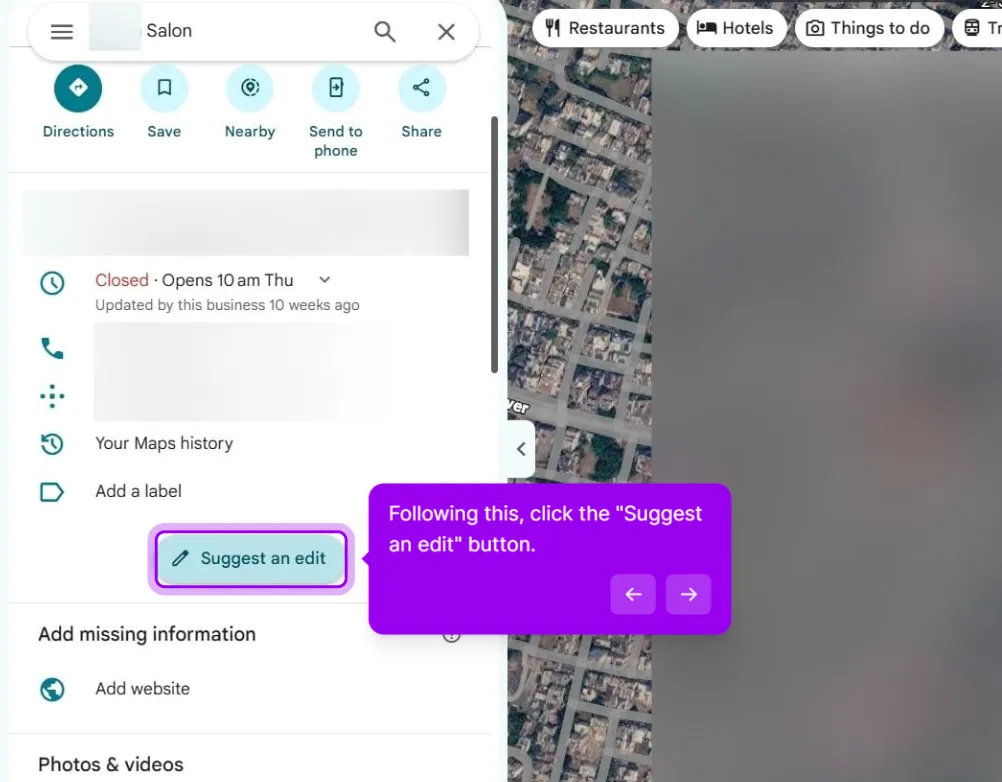
- Tap Suggest an edit.
- At the bottom, tap Report business conduct.
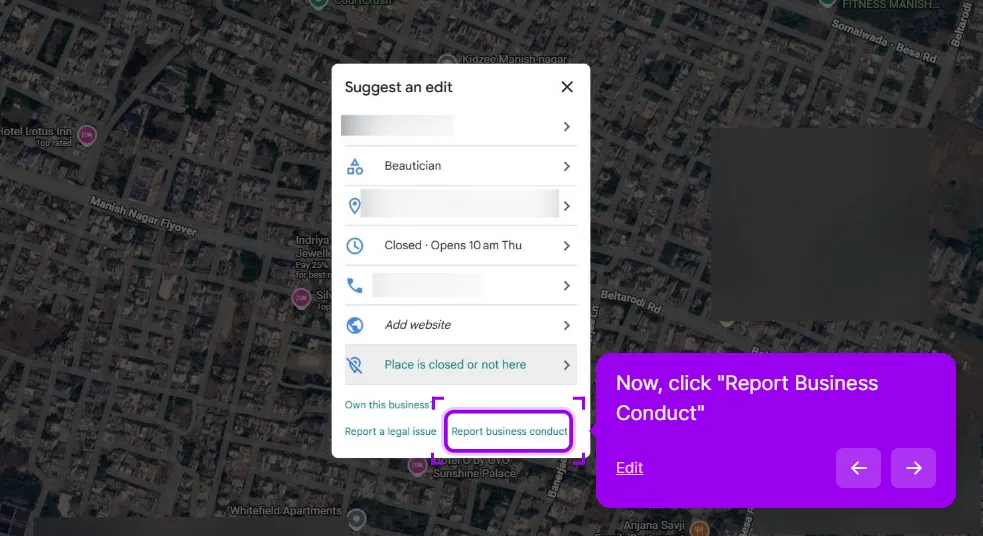
- Fill in the form (the business link, your email and what they did), then submit.
Can’t see the option? Some people can’t in the app. Use the direct form instead.
How to report individual fake Google reviews
- Open the business on Google Maps and select Reviews.
- Find the review and click the three-dot menu.
- Select Report review.
- Pick the reason that fits best, then select Submit.
In the Maps app, tap Reviews, tap the review, then use the three dots and Report review.
I’d pick the clearest ones, not every review. Then check the Reports section in the Maps app. It shows whether a report is processing, removed or not removed. If it isn’t removed, Google may offer one appeal.
What happens next
- Don’t expect a reply: Google’s help page doesn’t promise an update on the conduct report, and it publishes no timeline.
- If Google acts, it removes the violating reviews and may restrict the profile. That can mean a banner saying suspicious reviews were removed, new reviews blocked for a set period, or existing reviews hidden.
- How long? Google gives no exact length: Experts usually see about 30 days. A Product Expert has tracked blocks of 6 to 8 months on some businesses that bought reviews.
- You may not see anything. A PE says a blocked listing can look normal from outside, and new reviews just don’t publish.
For more information on what the owner sees, go through this restriction guide.
Other places to report
- Fake name, phone number or website: use the Business Redressal Complaint form. Google won’t update you on it. See what to do after filing.
- In the US: the FTC has banned buying and selling fake reviews since October 21, 2024. You can report at ReportFraud.ftc.gov.
A competitor ranking from a fake address is a different report: see reporting an address violation.
What not to do
- Don’t post fake or negative reviews on their profile: Google bans content posted on a competitor’s place to hurt it.
- Don’t buy reviews to catch up. The same policy applies to you.
- Don’t ask friends or staff to pile on. In our experience, extra flags carry no more weight than one clear report.
I’d keep a note of the date you reported and what you sent. In the meantime, keep earning real reviews at a steady pace. Our guide on when to stop chasing removal covers that.
Fake Google reviews on your own profile instead? Start with our guide to removing a review.
This post is one piece of a bigger playbook. The full guide covers the common Google Business Profile problems in one place, with the fix for each: The GBP cheat sheet.
Not sure whether a competitor’s reviews are worth reporting? Send us their profile and what you’ve seen, and we’ll tell you whether the pattern looks reportable and which form fits. Earning real reviews at a steady pace is part of our Google Business Profile service. Check their reviews


